
Let’s be honest: buying an IPTV subscription is the easy part. The hard part? Figuring out how to actually watch it on your TV without pulling your hair out.
If you’ve just purchased a subscription from TVPLUSSTREAM, you might be staring at an email full of “M3U links,” “Xtream Codes,” and “Portals,” wondering what to do next.
Don’t panic. The beauty of IPTV is that it works on almost anything—if you know which app to use.
I have spent years testing virtually every player on the market. Some are fantastic, and some are absolute garbage. In this guide, I’m going to break down the best apps for every specific device and give you step-by-step instructions on how to install them.
Part 1: The Best Apps for Firestick & Android TV (Nvidia Shield, Chromecast)
If you are using an Amazon Firestick or an Android Box, congratulations. You have the best experience available because you can use the “King” of IPTV apps: TiviMate.
Option A: TiviMate (The Gold Standard)

Best for: Speed, EPG (Guide) layout, and feeling like real Cable TV.
TiviMate is hands down the best player, but it’s not in the Amazon App Store. You have to “sideload” it.
How to Install TiviMate on Firestick:
- Unlock Your Firestick: Go to Settings > My Fire TV > Developer Options. Turn ON “Apps from Unknown Sources”. (If you don’t see Developer Options, click “About” and click the name of your Firestick 7 times fast to reveal it).
- Get Downloader: Go to the Home screen, click “Find”, search for Downloader (orange icon), and install it.
- Enter the Code: Open Downloader. In the URL box, type this short code: 19108 (or
tivimates.com/tiviapk). - Install: Click “Go”. The file will download. Click “Install” and then “Open”.
- Setup: Click Add Playlist -> Xtream Codes. Enter the Server URL, Username, and Password provided in your TVPLUSSTREAM email.
Mario’s Tip: TiviMate has a free version, but it’s worth paying the $10/year for the Premium version to unlock the “Catch-up” feature and scheduled recording.
Option B: IPTV Smarters Pro (The Reliable Classic)
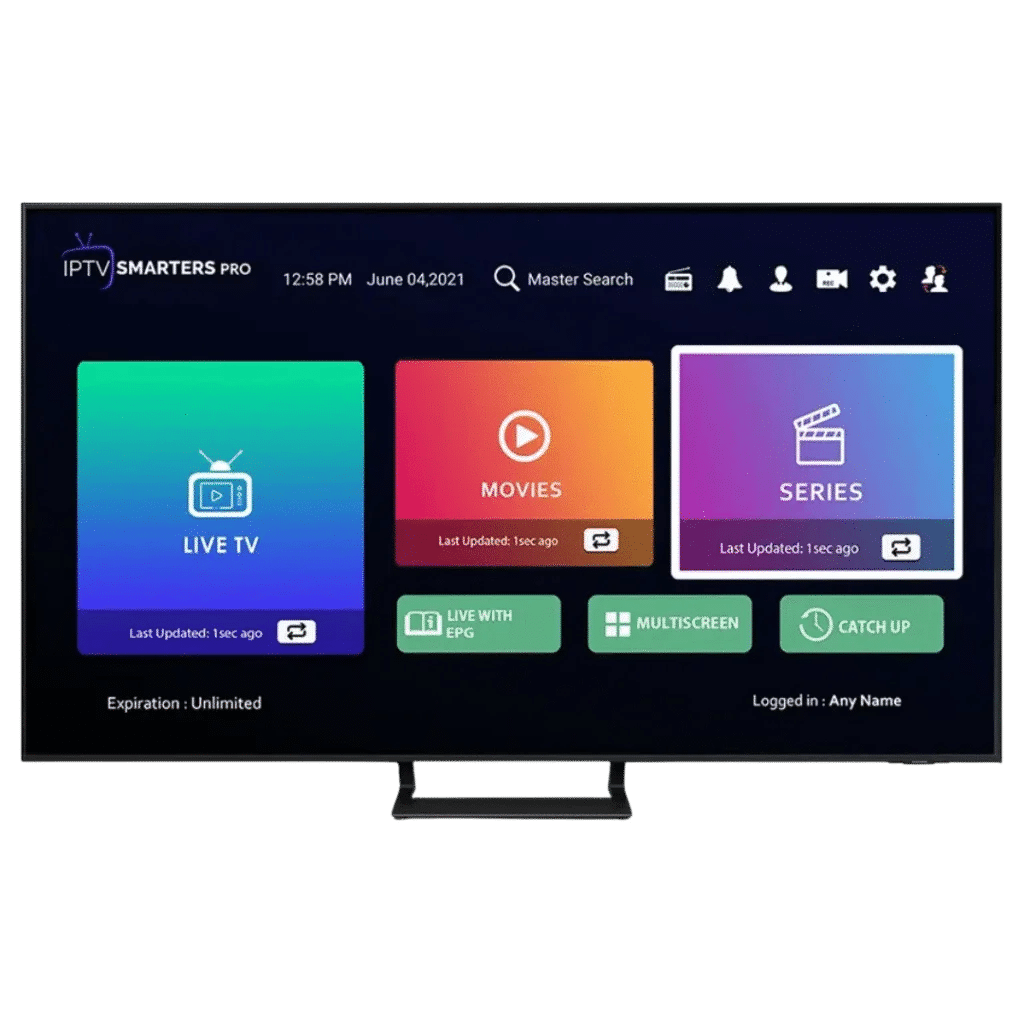
Best for: People who watch a lot of Movies and Series (VOD).
Smarters is famous for a reason. It organizes movies and TV shows much better than TiviMate, with a clean interface that includes posters and descriptions.
How to Install IPTV Smarters on Firestick:
- Open the Downloader app again.
- In the URL box, type this code: 78522.
- Click “Go” and install the APK.
- Open the app and select “Login with Xtream Codes API”.
- Any Name: Type “TVPlus”.
- Username/Password: Enter your credentials.
- URL: Enter the portal URL we sent you.
Part 2: The Best Apps for Smart TVs (Samsung & LG)
This is where people get confused. You cannot install TiviMate on a Samsung or LG TV. Their operating systems (Tizen and WebOS) don’t support it.
Instead, you need a player that is “Native” to your TV.
Option A: IBO Player (Highly Recommended)

Best for: Stability and ease of setup on Smart TVs.
IBO Player is currently the smoothest app for Smart TVs. It handles 4K streams very well and rarely crashes.
How to Install IBO Player on Samsung/LG:
- Press the Home button on your remote.
- Go to the Samsung Apps store or LG Content Store.
- Click the Search icon and type “IBO Player”.
- Download and open the app.
- Important: You will see a screen with a Device ID and a Device Key.
- Write these down.
- Go to the [IBO Player Website] on your phone or laptop. Click “Manage Playlists”.
- Enter your Device ID and Key to login.
- Click “Add M3U Playlist” and paste the M3U link provided by TVPLUSSTREAM.
- Restart the app on your TV.
Option B: SET IPTV or NET IPTV
Best for: Older Smart TVs.
If you can’t find IBO Player, check for SET IPTV or NET IPTV. The installation is identical to the steps above: Download the app, get the MAC Address displayed on the screen, and upload your playlist via their respective websites.
Part 3: The Best Apps for Apple Devices (iPhone, iPad, Apple TV)
Apple is strict with IPTV apps, so “Pro” versions often get removed from the App Store. However, there are still great options.
Option A: IPTV Smarters Lite
Best for: iPhones and iPads.
- Go to the Apple App Store.
- Search for “Smarters Player Lite”.
- Download it.
- Open it and choose “Login with Xtream Codes API”.
- Enter your TVPLUSSTREAM login details.
Option B: GSE Smart IPTV
Best for: Advanced users who want to customize settings.
- Download GSE Smart IPTV from the App Store.
- Open the menu and go to Remote Playlists.
- Click the “+” button.
- Choose “M3U URL” and paste the long link from your subscription email.
Option C: IBO Player (Apple TV Version)
If you have the Apple TV box (hardware), search for IBO Player in the App Store. It works just as well as the Smart TV version.
Part 4: The Best Apps for PC & Laptop (Windows/Mac)
Sometimes you just want to watch the game on your laptop while you work.
Option A: IPTV Smarters (Windows/Mac)
Smarters has a dedicated .exe program for computers.
- Search Google for “IPTV Smarters for Windows”.
- Download the installer.
- Login with your Username, Password, and URL.
Option B: VLC Media Player (The Quick Fix)
If you don’t want to install new software, almost everyone has VLC.
- Open VLC Media Player.
- Click Media (top left) -> Open Network Stream.
- Paste your M3U URL here.
- Click Play.
- Tip: To see the channel list, click “View” -> “Playlist” (or press Ctrl+L).
Summary: Which App Should You Choose?
Here is my final cheat sheet based on your device:
| Device | Top Recommendation | Runner Up |
| Firestick / Fire TV | TiviMate (Best Interface) | IPTV Smarters Pro |
| Android Box / Shield | TiviMate | XCIPTV |
| Samsung Smart TV | IBO Player | Nanomid / SET IPTV |
| LG Smart TV | IBO Player | Smart STB |
| iPhone / iPad | Smarters Lite | GSE Smart IPTV |
| Apple TV | iPlay TV (Paid) | Smarters Lite |
Troubleshooting: “It’s Not Working!”
Before you email support, check these two things:
- Typo Alert: M3U links are long and case-sensitive. If you type one letter wrong, it won’t load. Copy and paste whenever possible.
- Internet Speed: Streaming Live TV (especially 4K) requires a stable connection. If you are on Wi-Fi and it’s buffering, try moving closer to the router or using an Ethernet cable.
Ready to start watching?
If you have installed the app but need a reliable subscription that doesn’t freeze during the big game, check out our packages at [Link to Home Page]. We offer a 24-hour trial so you can test these apps risk-free!
Disclaimer: TVPLUSSTREAM does not own or operate these applications. We provide the service that feeds them content. Most apps offer a free 7-day trial followed by a small one-time activation fee to the app developer.