
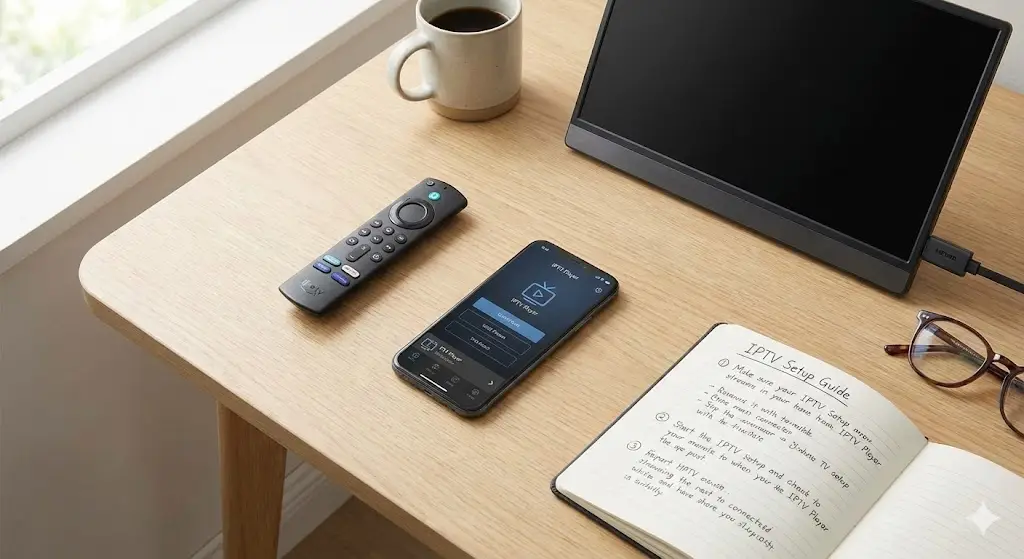
If you have looked at your cable bill recently and felt a sharp pain in your wallet, you are not alone. Millions of viewers are abandoning traditional satellite and cable contracts in favor of more flexible, affordable options. You have likely heard the acronym thrown around in tech circles or by that one tech-savvy friend, but finding a clear iptv beginner guide that explains the basics without confusing jargon can be tough.
The world of television has changed. You no longer need a satellite dish bolted to your roof or a mess of coaxial cables running through your walls. Today, all you need is an internet connection. In this post, we strip away the complexity and explain exactly what IPTV is, how it works, and what you need to get started.
What is IPTV?
IPTV stands for Internet Protocol Television. While the name sounds technical, the concept is incredibly simple. Instead of receiving television signals through a satellite dish or fiber-optic cable, you receive them through your internet connection.
Think of it like Youtube or Netflix, but for live television. When you watch a standard cable show, you are tuning into a signal that is being broadcast constantly, regardless of whether you are watching it or not. With IPTV, you are requesting a specific video file (the show) from a server, and it is sent directly to your device in real-time.
This shift in technology allows for:
- Lower Costs: No expensive infrastructure for the provider means cheaper bills for you.
- Portability: Watch your channels on your phone, tablet, or TV anywhere in the world.
- Variety: Access to international channels that standard cable providers never offer.
The Three Main Formats of IPTV
To better understand how you will consume content, it helps to know the three main categories. Most iptv new users will encounter a mix of these.
1. Live IPTV
This is the direct replacement for traditional TV. You get a grid guide (EPG) that looks just like a cable menu. You can scroll through channels and watch sports, news, or shows as they happen live.
2. Video on Demand (VOD)
This functions exactly like a digital movie rental store. You browse a library of movies or TV series and click play whenever you want. There is no schedule; you are in complete control.
3. Time-Shifted TV
Ever missed the start of the 6 o’clock news? Time-shifted TV allows you to watch previously broadcasted content. This includes “Catch-up” features where you can replay shows from the last 24 to 72 hours.
What Do You Need to Get Started?
You don’t need expensive equipment to iptv start your journey. In fact, you probably already own everything required. Here is the essential checklist:
High-Speed Internet
This is the most critical component. Since the video is streaming live, you need a stable connection.
- SD Content: 10 Mbps
- HD Content: 25 Mbps
- 4K Content: 50+ Mbps
A Streaming Device
While you can watch on a computer, most people prefer the living room experience. The most popular devices include:
- Amazon Firestick: Affordable, easy to unlock, and highly compatible.
- Android TV Box: Devices like the NVIDIA Shield offer premium performance.
- Smart TVs: Many Samsung or LG TVs have IPTV apps available directly in their app stores.
An IPTV App
The “App” is simply the player. It is the interface where you will browse channels. Popular choices include IPTV Smarters Pro, TiviMate, and XCIPTV.
How to Set Up Your Subscription
Once you have your device and your internet, the next step is connecting to a provider. This is often where iptv new users get stuck, but it is actually quite straightforward.
When you sign up for a service, you aren’t sent a physical box. Instead, you receive digital credentials. These usually come in one of two formats:
- M3U URL: A long link that looks like a website address. You paste this into your app, and it downloads the channel list.
- Xtream Codes: A set of credentials including a Server URL, Username, and Password. This is the more modern and user-friendly method.
If you are looking for a reliable provider that makes this setup process effortless, TVPlusStream services offer instant activation and clear instructions, ensuring you aren’t left guessing.
Is IPTV Legal?
This is the most common question we hear. The technology itself (IPTV) is 100% legal. It is just a method of transmitting data. Major companies like Hulu, YouTube TV, and Sling are all technically IPTV providers.
However, there is a grey area. There are thousands of providers online. Some are fully licensed, while others operate without proper content rights. As a user, it is important to choose reputable premium IPTV options that prioritize security and stability.
Why You Should Use a VPN
Even if you are using a legitimate service, we highly recommend using a Virtual Private Network (VPN).
Internet Service Providers (ISPs) often throttle (slow down) connections when they detect heavy streaming traffic to save bandwidth. This causes buffering. A VPN hides your activity from your ISP, preventing them from throttling your speed and ensuring your viewing habits remain private.
Conclusion
Making the switch from traditional cable to internet-based TV is one of the best tech decisions you can make in 2026. You gain control over what you watch, where you watch it, and how much you pay for it.
Hopefully, this iptv beginner guide has demystified the process for you. The barrier to entry is low, and the rewards—endless entertainment in 4K—are high.
Ready to cut the cord and experience the future of television? Explore the packages at TVPlusStream today. Join thousands of happy streamers and upgrade your entertainment setup instantly.
FAQ: Common Beginner Questions
Can I watch IPTV on multiple devices? Yes, most providers allow you to use your subscription on multiple devices, such as your TV, phone, and tablet. However, you usually need to check how many “simultaneous connections” your plan allows (e.g., watching on two TVs at the exact same time).
Do I need a satellite dish? No. IPTV works entirely over the internet. No dishes, no cables on the roof, and no technician visits are required.
Why is my stream buffering? Buffering is usually caused by slow internet or a weak Wi-Fi signal. Try connecting your device via an Ethernet cable or restarting your router. If the problem persists, it might be ISP throttling, which a VPN can fix.